How to Clear CapCut Cache on iPhone (and Free Documents & Data)
CapCut drafts, Trash, and cache live in Documents & Data — not Photos. Export keepers, empty Trash, Clear cache, or Delete App if needed — Offload keeps the sandbox.
How to Clear Discord Cache on iPhone (and Free Documents & Data)
Discord cache lives in Documents & Data — not Photos. Enable Developer Mode, Clear Caches, or Delete App if needed — servers and DMs stay in the cloud.
How to Delete Telegram Media on iPhone (and Clear the Cache Eating Storage)
Telegram cache lives in Documents & Data — not Photos. Clear Storage Usage, set Keep Media, stop Save Incoming Photos, then empty Recently Deleted if Camera Roll copies remain.
How to Delete Burst Photos on iPhone (and Free the Hidden Storage)
Clear the Bursts album, Keep Only Favorites, empty Recently Deleted — and free the hidden frames that look like one photo in Recents.
How to Clear Instagram, TikTok and Snapchat Cache on iPhone
iOS has no per-app clear-cache button. What Offload App and Delete App really remove, which apps ship their own cache control, and why Documents & Data grows back.
How to Delete Netflix Downloads on iPhone (and Free Offline Video Storage)
Offline episodes live in Documents & Data, not Photos. Remove one title, clear Downloads, or wipe Smart Downloads — My List stays, storage comes back.
How to Delete YouTube Offline Downloads on iPhone (and Free Video Storage)
Offline videos live in Documents & Data, not Photos. Remove one download, clear Downloads, or wipe the list — history stays, storage comes back.
How to Delete Spotify Downloads on iPhone (and Free Offline Music Storage)
Offline songs and playlists live in Documents & Data, not Photos. Remove one track, a playlist, or clear Downloads — library stays, storage comes back.
How to Clear Documents & Data on iPhone (Without Deleting the App)
iOS rarely offers a Clear Documents & Data button. See App Size vs Documents & Data, shrink it in-app, and know that offload keeps the data.
How to Delete Apple Music Downloads on iPhone (and Free Offline Storage)
Offline songs and playlists sit on the phone forever unless you remove downloads. Wipe one track, a playlist, or Remove All Downloads — library stays, storage comes back.
How to Delete Screen Recordings on iPhone (and Why They Eat Gigabytes)
Control Center captures hide in Photos, often at 1080p or higher. Find the Screen Recordings album, delete the huge ones, empty Recently Deleted, or compress keepers.
How to Find and Delete Large Videos on iPhone
One 4K clip can outweigh hundreds of photos. Find oversized videos in Photos, delete safely, empty Recently Deleted, or compress keepers instead.
iPhone Storage Full After iOS Update? Here's What Actually Grew
Update leftovers, System Data, Photos caches, and temporary files. Check iPhone Storage, delete the leftover update, reboot, empty Recently Deleted — and skip the factory reset.
How to Delete Old Podcasts on iPhone (and Why They Hide in Apple Podcasts)
Followed shows auto-download. Remove one episode, wipe a show, or Remove All Downloads, then turn auto-download off so they stop coming back.
How to Delete Safari Downloads on iPhone (and Clear the Files App)
Safari downloads land in Files, not Photos. Delete PDFs and ZIPs, then empty Recently Deleted so the space comes back.
How to Empty Recently Deleted on iPhone (and Why It Still Counts 30 Days)
Deleted photos, files, and memos still occupy storage for 30 days. Empty Recently Deleted in Photos, Files, Notes, Mail, and Voice Memos so the space actually comes back.
How to Offload Unused Apps on iPhone (vs Delete)
Offload removes the app binary and keeps Documents & Data. Delete App removes both. Read the two numbers first — offload will not free WhatsApp videos or Voice Memos.
How to Delete Voice Memos on iPhone (and Why They Eat Gigabytes)
Long lectures plus Lossless quality hide gigabytes in Voice Memos. Empty Recently Deleted, switch to Compressed, and do not offload the app hoping the files leave.
How to Delete WhatsApp Media on iPhone (and Why It Fills Storage Twice)
WhatsApp keeps its own library, and Save to Camera Roll often writes a second copy to Photos. Manage storage for the videos, delete the Photos copies, empty Recently Deleted.
How to Delete Blurry Photos on iPhone (iOS Has No Blurry Album)
Photos never grouped the out-of-focus shots. Tell motion blur from portrait bokeh, dump extra burst frames, delete the actual misses, and empty Recently Deleted so the space comes back.
How to Delete Live Photos on iPhone (and Why They Eat 2–3× the Space)
They look like stills and hide a short video clip, so each one costs about twice a regular photo. Find the album, convert keepers to stills, delete the rest, and stop Camera from making more.
Your Summer Photos Are Eating Your iPhone Storage — Here's the 20-Minute End-of-Summer Cleanup
Storage full after vacation? Bursts, Live Photos, 4K video and booking screenshots pile up fast over a summer. The 20-minute routine — duplicates and similar shots first, then screenshots, then compress the big videos instead of deleting them.
How to Delete Old Text Messages (and the Attachments Eating Your Storage)
Messages is often the #2 storage hog after Photos — years of media hiding inside conversations. The buried Review Large Attachments tool, the auto-delete setting nobody turns on, and the no-undo trap.
How to Delete Screenshots on iPhone (and Why You Have 2,000 of Them)
Screenshots are 10–15% of a typical library and almost none get looked at twice. The fast bulk-delete method, the four kinds worth keeping, and why your Screenshots album misses some.
iCloud Storage Full? How to Fix It Without Paying Apple Every Month
iCloud storage and iPhone storage are two different meters — and confusing them is what costs people a subscription. Dead device backups, the 30-day Recently Deleted trap, and the fix that shrinks both at once.
How to Free Up iPhone Storage Without Deleting a Single Memory (2026 Guide)
Most of what fills an iPhone isn't memories — it's inefficiency. Compress videos 50–80%, auto-clean email, merge duplicates, and reclaim 10–20 GB with a 30-day safety net on everything.
How to Delete Duplicate Contacts on iPhone (Merge Them All in 2026)
Three copies of your mom, two "John Work"s — duplicates pile up from iCloud, Gmail, and old SIM imports. Here's how to merge them all, including the ones Apple's built-in tool misses.
How to Clear Cache on iPhone (the Honest 2026 Guide)
There's no one-tap "clear all cache" on iPhone — and apps that promise it can't deliver. Here's what actually clears Safari and app caches, and what really frees your storage.
How to Hide Photos on iPhone (the Private, Encrypted Way)
The iPhone Hidden album isn't really private — anyone with your passcode can open it. Here's how to lock photos in an encrypted, Face ID-protected vault with a decoy mode.
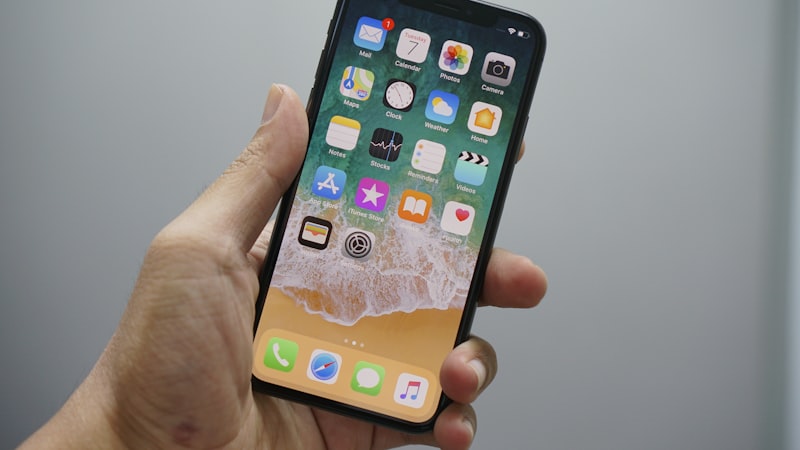
How to Get Water Out of Your iPhone Speaker (2026)
Muffled speaker after water? The safe sound-wave trick to eject trapped water in under a minute — plus the "fixes" (rice, heat, charging) that make it worse.
Why Is My iPhone Storage Full After Deleting Photos?
Deleted hundreds of photos but nothing changed? Here's why — Recently Deleted, System Data, leftover duplicates, and oversized videos — and how to actually reclaim the space.
How to Compress Videos on iPhone Without Losing Quality (2026)
One 4K video outweighs a hundred photos. Compress your videos with HEVC and reclaim 50–80% of their space — without deleting a single memory.
Are iPhone Cleaner Apps Safe? How to Spot the Risky Ones (2026 Guide)
Some cleaners quietly upload your photos, bundle ad-tracking SDKs, or hide subscription traps. A 6-point checklist to tell a safe, on-device cleaner from a risky one.
What Is "System Data" on iPhone — And How to Clear It (2026 Guide)
The mysterious gray bar can swell to 20+ GB. Here's exactly what's inside, why Apple won't tell you, and four proven ways to clear it without losing photos or apps.
The 80/20 Rule of iPhone Photos: Why 80% of Your Storage Is Junk You'll Never Look At Again
Analysis of hundreds of thousands of iPhone libraries shows the same pattern — duplicates, blurry shots, screenshots, and bursts eat 80% of your photo storage.
How to Organize iPhone Photos with AI Smart Albums (2026)
Auto-group your photos into Pets, Food, Travel, Family, Nature, Architecture, Vehicles, and Documents using on-device AI. No uploads, no Apple Intelligence required.
How to Convert HEIC to JPEG on iPhone in 2026
Batch convert HEIC to JPEG or PNG right on your iPhone — no Mac, no upload, no quality loss.
The Best iPhone Email Cleaner for Any Inbox — Gmail, iCloud, Outlook, Yahoo & IMAP
One iPhone app to clean every inbox you own. Bulk delete, mass unsubscribe, and reach inbox zero.
How to Free Up Storage on iPhone in 2026
Running out of space? Here are the most effective ways to reclaim gigabytes on your iPhone without losing anything important.
How to Find and Delete Duplicate Photos on iPhone
Duplicate photos silently eat your storage. Learn how to find them and clear them out in minutes.
Is Your iPhone Slow? 5 Ways to Speed It Up
A sluggish iPhone doesn't mean you need a new one. These 5 fixes can make your phone feel brand new.
How to Clean Up Your Gmail Inbox Fast
Thousands of unread emails? Here's how to go from inbox chaos to inbox zero without spending all day.
iPhone Storage Full? Here's What's Taking Up Space
That "Storage Almost Full" popup is annoying. Find out exactly what's eating your space and how to fix it.

How to Block Ads on iPhone Safari
Tired of pop-ups and banner ads? Learn how to browse the web cleanly on your iPhone with built-in tools.
iPhone Battery Draining Fast? How to Check Battery Health
Is your battery dying before lunch? Here's how to check its health and extend its life.