How Much iPhone Storage Do I Need? 128 vs 256 vs 512 GB
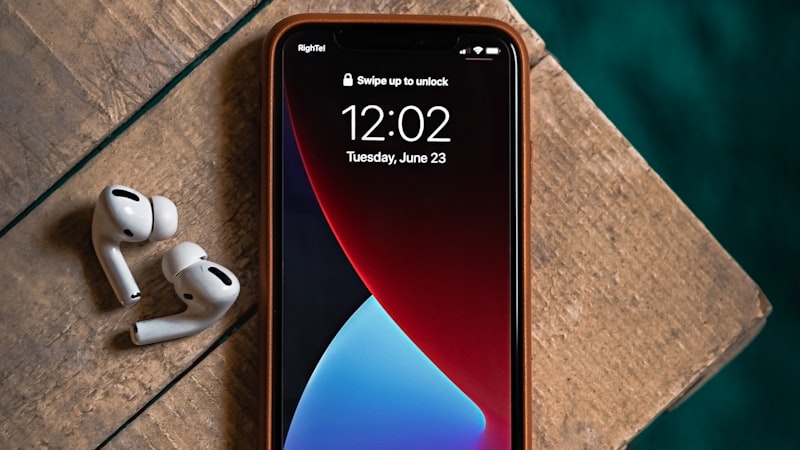
You are on the buy page with two numbers in front of you. One is the price gap between 128 GB and 256 GB. The other is the storage bar on the phone in your hand, which has been red for months. It feels like an easy decision: you ran out, so buy more.
It is not an easy decision, because the second number is lying to you. The amount of space you are using now is not the amount you need. A meaningful slice of it is duplicates, screenshots you took to read later, videos you already posted, and app caches that will rebuild themselves on the new phone anyway. Pay for storage to hold that, and you are paying a one-time premium to carry junk forward for three years.
Here is how to turn what is actually on your phone into a number you can shop with.
Step 1: get your real usage, not your full usage
Open Settings → General → iPhone Storage and wait for the bar at the top to finish calculating. Write down two things: the total used, and the figure next to Photos.
Photos is the number that matters, because it is the only category that grows with you forever. Apps get replaced. Messages can be capped. Your photo library only ever goes one direction.
Now work out your growth rate. Divide the Photos figure by the number of years you have had this phone. If Photos is 60 GB and you have had the phone three years, you are adding roughly 20 GB a year. That single number does more work than any buying guide.
Tip: If you have had this phone less than a year, your rate is unreliable — a new-phone honeymoon skews it. Use two years of the previous phone's library instead if you still have it in iCloud.
Step 2: subtract what you would never have carried over
This is the step nearly everyone skips, and it is the one that changes the answer. Before you size the next phone, find out how much of the current library is not worth moving.
Four categories do most of the damage, and none of them are memories:
- Exact duplicates — the same shot saved twice by editing, sharing, or a failed transfer.
- Near-identical bursts — the eleven frames you took to get one good one, and then kept all eleven.
- Screenshots — receipts, addresses, recipes and memes you screenshotted as a to-do and never went back to. How to clear them: delete screenshots on iPhone.
- Blurry and failed shots — the ones you would delete instantly if you ever looked at them again.
Add those up and take them off your total. Whatever is left is your genuine library. That is the thing you are buying storage for.
Step 3: do the arithmetic
Take your genuine library, add your yearly growth multiplied by how long you keep a phone, then add 25 GB for the system and apps and a little headroom. iOS gets slow and unhappy when a phone runs completely full, so never size for exactly what you need.
Worked through: a genuine library of 45 GB, growing 20 GB a year, on a four-year replacement cycle, comes to 45 + 80 + 25 = 150 GB. That person needs 256 GB and would be miserable on 128 GB. Change the library to 25 GB and the growth to 8 GB a year — a normal result for someone who shoots photos rather than video — and it comes to 25 + 32 + 25 = 82 GB, which fits 128 GB with room to spare.
Same phone, same "storage full" warning, opposite buying decisions. That is why the audit is worth twenty minutes.
What does and does not scale with you
Grows forever: photos and video. Video is the big multiplier — a minute of 4K at 60 fps runs roughly 400 MB, where a minute of 1080p at 30 fps is closer to 90 MB. If you shoot 4K, your growth rate can be four or five times someone else's on the same number of clips. Five camera settings decide most of that rate. Before you buy around that number, see what is actually in the library: large videos, screen recordings, and whether you would rather compress keepers than pay for the raw files.
Grows, then plateaus: apps and messages. Most people settle at a stable set of apps. Messages only run away if you keep attachments forever, and that is fixable in settings rather than at checkout.
Not yours to plan for: System Data. It swells and shrinks on its own and iOS reclaims it under pressure. Do not buy a bigger phone because System Data looked alarming one afternoon.
When paying up is genuinely the right call
Buy the bigger model without agonising if any of these are true:
- You shoot 4K or ProRes video regularly. ProRes in particular eats space at a rate no cleanup routine can keep up with.
- You keep your full library on the device rather than using iCloud Photos optimisation, because you want everything available offline.
- You keep phones four or five years. Storage is bought once; the squeeze lasts the whole time you own it.
- You download a lot of offline media — films, podcast back catalogues, offline maps for travel.
When it is a waste of money
Be honest about this one. If your library is mostly duplicates and screenshots, buying 256 GB does not solve anything — it postpones the same afternoon of deleting by about eighteen months, and you paid for the delay.
Equally, if your bar is full of Other and app caches rather than Photos, a bigger phone is the wrong purchase entirely. Caches rebuild at whatever size they want on any phone. The 512 GB model will fill up too.
And if you have iCloud Photos with Optimise iPhone Storage turned on, your device only keeps smaller versions of older photos anyway. Check whether it is on before assuming your library is the problem — many people are paying attention to a number that iOS is already managing for them.
Get the reclaimable number before you decide
Phone Diet scans your library and tells you exactly how much space is duplicates, near-identical bursts, screenshots and blurry shots — the figure you need for Step 2, without going through ten thousand photos by hand.
Download Free — 3 Day TrialOne last sanity check
Do the audit before you order, not after the new phone arrives. Once everything has transferred, the junk is on the new device too, and the storage screen you are looking at is your old habits wearing a new case.
If you are about to migrate, our guide to what to clean up before transferring to a new iPhone covers the order to do it in. And if your current phone is full right now and you need it working today, freeing up storage without deleting anything will get you through the week.