Google Photos “Free Up Space” Didn’t Free Your iPhone? Here’s Why
Google Photos’ Free up space deletes backed-up photos older than 30 days from your iPhone, but iOS parks them in Recently Deleted in the Apple Photos app, where they still use storage for 30 days. Empty that album and the space comes back. If iCloud Photos is on, the same delete also removes them from iCloud and your other Apple devices.
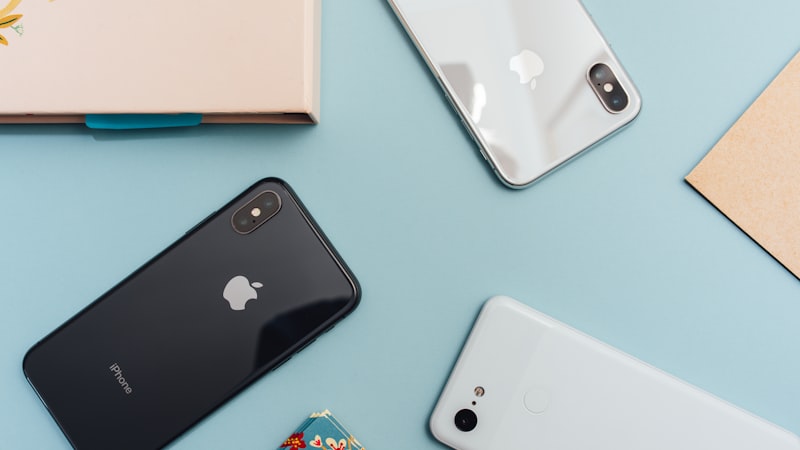
Your iCloud plan filled up, so you installed Google Photos, let it back up overnight and tapped Free up space on this device. It said it deleted a few thousand items. Then you opened Settings and the iPhone is exactly as full as before. Or you’re one step earlier, with your thumb over the Delete button, wondering whether it will also wipe the copies in iCloud.
Both questions have short answers. This guide covers why the storage didn’t move, the two-minute fix, what happens to iCloud, and the part of your library Google’s tool never touches.
Why didn’t Free up space free any space?
On an iPhone, Google Photos deletes from the same Apple Photos library as every other app, and iOS treats that like any other delete: the items move to Recently Deleted in the Apple Photos app and stay there for 30 days. Google’s own help page says so in its steps. After tapping Delete, you’re told to open the iPhone Photos app (not Google Photos), tap Recently Deleted and delete those same photos and videos.
That’s the usual cause. If you’ve already emptied the album, it’s one of these:
| What you see | Why | What to do |
|---|---|---|
| It said it deleted items, the storage bar didn’t move | They’re in Apple Photos’ Recently Deleted for 30 days | Empty Recently Deleted (steps below) |
| It offers far fewer items than you expected, or none | Google only deletes items older than 30 days, and only ones already backed up | Let backup finish; clear recent clutter yourself |
| Backup is still counting down | Items that haven’t uploaded aren’t offered | Keep the app open, on Wi-Fi and plugged in, until it says Backup complete |
| It freed a lot less than the size of your library | With iCloud’s Optimize iPhone Storage on, the phone only held smaller versions of older photos to begin with | Expect a smaller gain; see the iCloud section |
| Photos is small now, the phone is still full | The space is in Messages, apps or System Data | Check the biggest rows in iPhone Storage |
How do I use Free up space so the storage actually drops?
These are Google’s steps, with the Apple half spelled out for current iOS.
- Check the backup first. In Google Photos, tap your profile picture at the top right. Google says the status reads Backup complete when everything has uploaded. If it’s still counting, wait. Google suggests keeping the app open and the phone plugged in.
- Run Free up space. Tap your profile picture, tap Free up space on this device, then Delete [x] items from this device, then Delete.
- Empty Recently Deleted in Apple Photos. Open Photos. Scroll down (on iOS 26 and later, tap Collections first) to Utilities, tap Recently Deleted, tap View Album and unlock with Face ID or your passcode. Tap Select, then Delete All, and confirm. If you only want to clear what Google just removed, select those items instead of everything.
- Check the result. Wait a minute, then open Settings → General → iPhone Storage. The Photos row should be smaller.
Tip: Emptying Recently Deleted is the point of no return on the Apple side. After that, the only copy of those photos is in Google Photos. Open two or three of last year’s videos in the Google Photos app first and make sure they play. More on the album, and the other apps with their own trash, in how to empty Recently Deleted on iPhone.
Will Free up space delete my photos from iCloud?
Yes, if iCloud Photos is on. Apple’s iCloud Photos page is plain about it: when you delete photos and videos on one device, they’re deleted everywhere you use iCloud Photos. Google’s delete goes through iOS like any other, so it counts.
To check, open Settings, tap your name, then iCloud → Photos. If Sync this iPhone is on, your iPhone and iCloud share one library. Then it depends on what you’re trying to do:
- You’re moving from iCloud to Google Photos. This is what you want. The deleted photos stop counting against your iCloud plan as well, so both meters drop. Your iPad and Mac lose them too, so make sure you don’t rely on those copies.
- You want to keep everything in iCloud and just free the phone. Don’t use Free up space. Leave Optimize iPhone Storage on and let iOS keep smaller copies on the phone. Our guide to deleting photos from iPhone but not iCloud covers the options, and why Optimize sometimes doesn’t help covers what to check when it seems stuck.
- iCloud Photos is off. The delete only affects this iPhone. An old iCloud Backup may still contain the photos, which is a separate thing.
Is it safe to delete photos from your iPhone after a Google Photos backup?
Mostly, once backup says complete. Check two things before you empty Recently Deleted:
- Backup quality. Google’s quality page says Storage saver resizes photos larger than 16 MP to 16 MP and videos above 1080p to 1080p. So if you shot in 4K and back up with Storage saver, the 4K original only exists on your phone. Delete it there and Google’s 1080p copy is all that’s left. If that matters, switch to Original quality first (profile picture → Google Photos settings → Backup → Photos & videos quality) and let it back up again.
- Google storage. Every Google Account comes with up to 15 GB, shared with Gmail and Drive, and both Original quality and Storage saver count against it. If the account fills up, new items stop backing up and won’t be offered for deletion. That’s a common reason the item count looks low.
Google also notes that if you’re inactive in Google Photos for 2 years or more, your content may be deleted. If Google Photos is going to be the only copy, open it now and then.
What does Free up space leave behind?
Everything from the last 30 days, and everything that isn’t in Photos. For many people that’s where the space is: the iPhone 17 setup, the new iOS 27 features, a month of school events and fall weekends in 4K. Google’s tool also deletes the good shots and the junk equally. It frees space by removing local copies, not by deciding what’s worth keeping.
For the recent pile, the free route is Apple’s own: Settings → General → iPhone Storage → Photos → Review Large Videos, plus the Duplicates album under Utilities in Photos for exact copies. Then look at the other big rows in iPhone Storage. Messages attachments and app downloads don’t go anywhere near Google Photos. Storage still full after deleting photos walks through those.
Rather sort the recent pile in one pass? Phone Diet scans your whole library, recent photos included, for similar shots, duplicates, large videos, screenshots, screen recordings and blurry or dark photos, and shows each group so you choose what goes.
Where Phone Diet fits, and where it doesn’t
We make Phone Diet, so read this part with that in mind. It’s useful here for one job: the clutter Free up space won’t touch, especially near-duplicate bursts and long videos from the last month. It can also compress videos you want to keep.

What it can’t do:
- It can’t see your Google Photos account, so it can’t tell you what’s backed up there or delete only backed-up items. That’s Google’s job.
- It can’t skip iCloud. With iCloud Photos on, anything it deletes is deleted from iCloud too, exactly like Google’s tool.
- It doesn’t free space instantly. Deleted items go to Recently Deleted, and it keeps its own safety copy in a Recover tab for 30 days by default (7, 30 or 60). To get the space back today, empty Recently Deleted and use Permanently Delete Everything in Recover once you’ve checked.
- It doesn’t clear Messages, other apps’ caches or System Data.
Your first cleanup is free up to 1 GB, then it’s Premium. It’s not for you if Free up space plus an empty Recently Deleted already got you the room you need. Then you’re done, and that’s the cheaper answer.
Frequently asked questions
Why didn't Google Photos free up space on my iPhone?
Because the photos it removed went to Recently Deleted in the Apple Photos app, where they keep using storage for 30 days. Google's own steps say to open Photos, tap Recently Deleted and delete the same items. Do that, then check Settings > General > iPhone Storage again.
Does Google Photos Free up space delete photos from iCloud?
Yes, if iCloud Photos is on. iCloud Photos keeps one library across your devices, so a photo deleted from the iPhone is deleted from iCloud, your iPad and your Mac too. Check Settings > your name > iCloud > Photos. If Sync this iPhone is on, the photos will survive only in Google Photos.
Why does Free up space say 0 items or skip my recent photos?
Google only offers to delete photos and videos older than 30 days, and only items that have finished backing up. Anything from the last month, or anything still waiting to upload, stays on the phone. Open Google Photos, tap your profile picture and wait until it says Backup complete.
Is it safe to delete photos from my iPhone after backing up to Google Photos?
It is safe once backup reads Backup complete and you are happy with the backup quality. Storage saver resizes photos over 16 MP to 16 MP and videos above 1080p to 1080p, so the original 4K file is gone once you delete it from the phone. Choose Original quality first if that matters.
Clear the last 30 days Google skips
Phone Diet finds similar shots, duplicates and long videos across your whole library, recent ones included, and lets you pick what goes.
Download Free — 3 Day Trial